
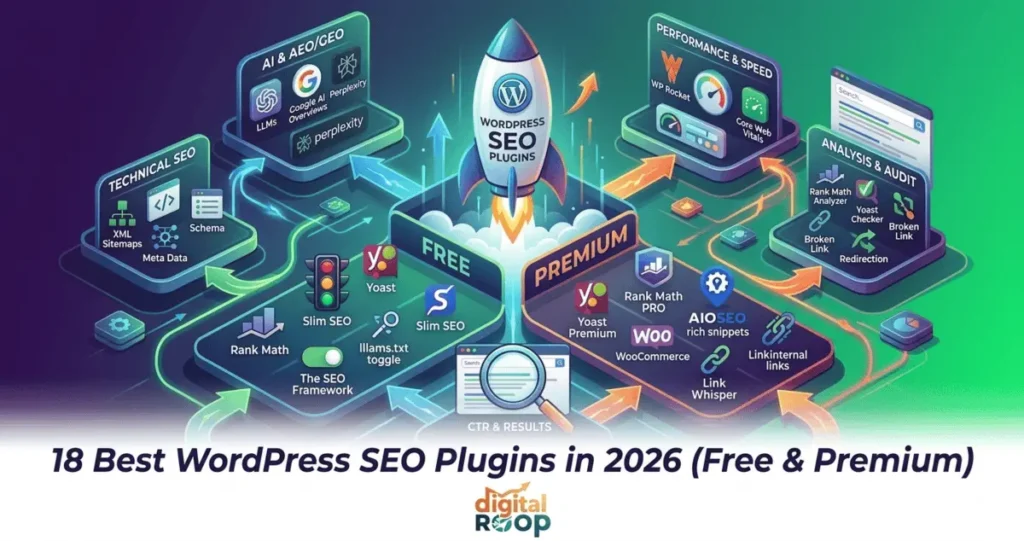
If you’re choosing between the dozens of wordpress seo plugins available right now, you don’t need to install and test all of them yourself — we already did. This guide breaks down the 18 best free and premium WordPress SEO plugins for 2026, how they compare, and which one actually fits your site.
WordPress now powers roughly 4 in 10 websites worldwide, but installing WordPress doesn’t make your site visible — an SEO plugin does the heavy lifting: meta titles, XML sitemaps, schema markup, redirects, and increasingly, readiness for AI-driven search results like Google AI Overviews and answer engines such as ChatGPT and Perplexity. Whether you call them wp seo plugins, an seo widget WordPress users install from the plugin directory, or full SEO suites, they all solve the same core problem.
Quick Answer
Rank Math is the best all-round free WordPress SEO plugin in 2026. Yoast SEO is the most beginner-friendly and has the largest install base. AIOSEO is the strongest pick for WooCommerce stores and agencies. If performance matters more than features, SEOPress, Slim SEO, or The SEO Framework are better fits.
Table of Contents
— 01 · Overview
What Is a WordPress SEO Plugin?
A WordPress SEO plugin is a tool that adds search engine optimization controls directly in your WordPress dashboard — things you’d otherwise have to edit manually in your theme’s code. If you’re new to the topic entirely, it helps to start with what SEO actually means before layering plugin-specific settings on top. A plugin typically covers:
What a Typical Plugin Covers
- Meta titles and meta descriptions for every post/page
- An xml sitemap generator so Google can crawl your content
- Schema/structured data markup (reviews, FAQs, products, articles)
- Redirect management and broken-link detection
- Readability and keyword-usage analysis while you write
- Open Graph tags for social sharing
- Increasingly, AI-readiness features like `llms.txt` support and auto-generated metadata
In short, a good plugin for seo in wordpress turns dozens of manual technical tasks into toggles and checklists.
— 02 · Buyer's checklist
What to Look for in an SEO Plugin for WordPress
Before picking from the list below, weigh these factors:
Site Type
A blog, WooCommerce store, and local business site have different needs (local SEO, product schema, etc.) — see our Google Business Profile optimization guide if local search is your priority
Technical comfort
Some plugins hold your hand (Yoast, Squirrly); others assume you know SEO already (Rank Math, SEOPress). Brushing up on on-page SEO basics first will make any plugin easier to configure correctly
AI-search readiness
Schema markup, structured answers, and `llms.txt` support increasingly affect visibility in AI Overviews and chatbot answers, not just classic blue links
Performance impact
Heavier plugins can slow page load, which itself hurts rankings
Free tier depth
Some “free” plugins genuinely cover 90% of use cases; others gate essentials behind a paywall

— 03 · The roundup
The 18 Best WordPress SEO Plugins
Full breakdowns for the top four, then the remaining fourteen as a scan-friendly grid — build the grid as a repeating Elementor loop item once the pattern is set.
1. Rank Math
Rank math seo — often just typed as RankMath, or searched as the rank math seo plugin — is widely considered the most feature-rich free WordPress SEO plugin available today. The free version includes multi-keyword optimization, a built-in rank math seo analyzer, schema generator, and Google Search Console integration — features other plugins reserve for premium tiers.
2. Yoast SEO
The yoast seo plugin — also searched as yoastseo, seo yoast, or simply yoast for seo — remains the most widely installed yoast seo wordpress plugin on the market, prized for its guided, traffic-light-style interface. It handles meta titles, the yoast seo checker content analysis, a Yoast readability checker, breadcrumbs, and sitemap generation out of the box.
3. All in One SEO (AIOSEO)
All in one seo — commonly abbreviated as AIOSEO, sometimes spaced out as aio seo, and formerly an all in one seo plugin — is one of the original WordPress SEO plugins, now built around a TruSEO scoring system, an AI metadata assistant, and a Link Assistant for internal linking.
4. SEO Press
SEOPress is a clean, developer-friendly plugin with no upsell banners in the dashboard. Its 2026 update added an “Agent Readiness” toggle that publishes a standardized `llms.txt` file, directly supporting AEO and GEO visibility.
5. The SEO Framework
Built for site owners who want SEO handled quietly in the background, with minimal configuration and near-zero performance overhead.
6. Slim SEO
True to its name, Slim SEO automatically handles meta tags, XML sitemaps, breadcrumbs, and schema markup with essentially no setup required.
7. Squirrly SEO
Squirrly acts like a live SEO mentor inside the block editor, offering real-time, AI-guided suggestions as you write rather than just a post-publish checklist.
8. Smart Crawl
SmartCrawl automates core SEO tasks, including auto meta generation and schema markup, with a performance-first, minimalist architecture.
9. Sure Rank
A newer entrant gaining traction among agencies looking for a modern alternative to the established players, with active development and lifetime-deal pricing.
10. WP Meta SEO
Focused on letting you bulk-edit meta titles, descriptions, and image alt text across your entire site from one dashboard screen.
11. SEO Ultimate
A long-standing modular plugin covering meta tags, sitemaps, and rich snippets, still maintained for sites that adopted it years ago.
12. Premium SEO Pack
Bundles on-page analysis, XML sitemaps, and social features into a single premium package.
13. Redirection
A focused, single-purpose plugin for managing 301 redirects and monitoring 404 errors — often used alongside a full SEO plugin rather than instead of one.
14. Broken Link Checker
Scans your site for broken internal and external links and missing images, flagging them for fixing before they hurt user experience and crawl efficiency.
15. Schema Pro
For site owners who want deeper structured-data control than their main SEO plugin offers, especially for reviews, events, and local business schema.
16. Link Whisper
An AI-assisted internal linking plugin that suggests relevant internal links as you write, helping distribute page authority across your site.
17. Google XML Sitemaps
A no-frills option if you only need one thing: a working XML sitemap generator without any of the surrounding SEO features.
18. WP Rocket
Not an SEO plugin in the traditional sense, but page speed and Core Web Vitals are ranking factors — pairing a caching plugin like this with any of the above rounds out a full technical SEO setup.

— 04 · At a glance
Comparison Table
If you’re skimming this wordpress seo plugins list for a fast side-by-side view before reading the full breakdowns above, start here. (SmartCrawl, covered earlier, is sometimes searched for under the shorthand smart seo — it’s included below alongside the other automated, low-configuration options.)
| Plugin | Free tier? | Best for | Standout feature |
|---|---|---|---|
|
Rank Math |
Yes, generous |
Overall free use |
Multi-keyword + schema, free |
|
Yoast SEO |
Yes, limited |
Beginners |
Guided traffic-light checklist |
|
AIOSEO |
Yes, limited |
WooCommerce / agencies |
True SEO scoring, Link Assistant |
|
SEOPress |
Yes |
Developers / agencies |
White-label, llms.txt support |
|
The SEO Framework |
Yes |
Speed-focused sites |
Minimal performance overhead |
|
Slim SEO |
Yes |
Non-technical users |
Zero configuration |
|
Squirrly SEO |
Yes, limited |
Learning SEO |
Live AI writing coach |
|
SmartCrawl |
Yes |
WPMU DEV users |
Preconfigured smart defaults |
|
SureRank |
Yes, limited |
Early adopters |
Modern, actively developed UI |
— 05 · Budget picks
Best Free WordPress SEO Plugins
If budget is the deciding factor, here’s how to think about it. A genuinely useful wordpress seo plugins free tier should include, at minimum: meta title/description editing, an XML sitemap generator, basic schema output, and a content readability check.
Based on that bar, the strongest free seo plugin for wordpress options in 2026 are:
1. Rank Math
Most generous free feature set overall
2. Slim SEO
best zero-setup free option
3. SEOPress
Best free tier with no upsell clutter
4. The SEO Framework
Best free option if performance is the priority
5. Yoast SEO
Best free option if you want the most guided experience
If you’re specifically comparing the best free wordpress seo plugins side-by-side, Rank Math and Slim SEO consistently come out ahead simply because less is locked behind a paywall.

— 06 · Technical foundation
XML Sitemaps, Schema & Technical SEO Features
Every plugin on this list touches technical SEO differently, but three features matter most. For the full picture beyond just plugins, our technical SEO guide covers what to audit on your own site. If you also want to check whether your WordPress pages are indexed, see our Best Google Index Checker Tools guide.
XML Sitemaps
An xml sitemap generator tells Google which pages exist and how they're structured — see Google's own sitemap documentation for the technical specifics. Rank Math, Yoast, AIOSEO, SEOPress, and Slim SEO all include one built-in — you generally don't need a free xml sitemap generator as a separate plugin unless you're using a bare-bones setup like Google XML Sitemaps. If you do need a standalone or online xml sitemap generator for a non-plugin workflow, there are free web-based tools, though a plugin-generated sitemap updates automatically as you publish, which a one-off generator can't do.
Schema Markup
Structured data— reviews, FAQs, articles, products — helps both classic search results (rich snippets) and AI answer engines understand your content. Rank Math, SEOPress, and AIOSEO currently offer the deepest free schema options.
Content and Readability Checks
Tools like the yoast seo checker, yoast readability checker, and rank math seo analyzer score your draft in real time — keyword placement, sentence length, passive voice, and heading structure — before you hit publish.
Other technical extras worth knowing
Yoast SEO Sitemap Generator
Yoast's specific sitemap module, auto-included with the core plugin
WordPress SEO Titles
Most plugins let you set title templates per post type, e.g. "%title% | %sitename%"
Yoast Breadcrumb
Yoast's built-in breadcrumb navigation, which also feeds breadcrumb schema to Google
Local SEO Pack
For local businesses, look for a plugin or dedicated module with map, business-hours, and multi-location schema support

— 07 · The 2026 shift
AI SEO Tools & GEO-Readiness (2026 Search Landscape)
Search has genuinely changed. A growing share of Google queries now surface an AI-generated answer above traditional results, and tools like ChatGPT, Perplexity, and Gemini are becoming discovery channels in their own right. This is where ai seo tools and GEO (Generative Engine Optimization) come in — optimizing content so it gets cited by AI systems, not just ranked by classic algorithms. If these terms are new to you, our breakdown of AEO vs GEO vs SEO explains how the three disciplines differ, and our piece on the importance of SEO in the AI era goes deeper into why this shift matters for every WordPress site, not just plugin selection.
What actually helps here, based on 2026 plugin updates:
Structured, Direct Answers
Near the top of a page (like the "Quick answer" box above) — AI systems tend to lift concise, well-labeled answers
Schema Markup
FAQPage, Article, and Product schema give AI crawlers explicit signals about your content's structure
llms.txt Support
A newer standard (supported by SEOPress and a few others) that gives AI agents a plain-text map of your site
Clear Heading Hierarchy
H2/H3 structure that mirrors how people actually phrase questions
E-E-A-T Signals
Author bios, citations, and evidence of real expertise, which both Google and AI systems weigh heavily
None of this replaces a solid core wordpress seo optimization plugin — it’s layered on top of the fundamentals covered earlier in this guide.

— 08 · Snippet copy
Improve Your Click-Through Rate
Ranking well and getting clicked are two different problems. You can sit in position #3 and still lose traffic to a result below you if your title and description don’t earn the click. Most plugins in this guide — Rank Math, Yoast, AIOSEO, SEOPress — include a live snippet preview specifically so you can fix this before publishing.

A few things that reliably move CTR, based on what actually shows up in the snippet:
Lead with a number and a year
"18 Best WordPress SEO Plugins in 2026" outperforms a vague title like "SEO Plugins" because it signals scope and freshness at a glance.
Keep titles under ~60 characters
So Google doesn't truncate them mid-word — check this in your plugin's snippet preview, not just by counting characters.
Write meta descriptions that promise something specific
"Compare Yoast, Rank Math & AIOSEO" tells a searcher exactly what they'll get; "Learn about SEO plugins" doesn't.
Use schema markup to earn rich snippets
FAQ, review, and rating schema (covered above) can add extra visual real estate in the results — stars, expandable questions — which pulls the eye before the click.
Match search intent in the first visible words
If someone searched best seo plugins for wordpress, your title or description should contain that phrase near the start, not buried at the end.
Check Search Console's CTR column regularly
Pages ranking well (top 10) but with low CTR are usually a title/description problem, not a ranking problem — fix the copy before assuming you need to rebuild the content.
Avoid duplicate titles across posts
If two pages compete for the same wordpress seo plugins search, Google may pick the wrong one to show, or your own pages may cannibalize each other's clicks.
None of this requires a separate tool — it’s the snippet preview built into whichever plugin you pick from this list, used consistently before every post goes live.
— 09 · Decision guide
Which Plugin Should You Choose?
A quick decision guide based on the best seo plugins for WordPress by use case — and once you’ve picked one, running through an on-page SEO checklist will help you configure it correctly from day one:
– New blogger, want hand-holding? → Yoast SEO
– Want the most free features possible? → Rank Math
– Running a WooCommerce store or agency? → All in One SEO
– Want a clean, no-upsell interface? → SEOPress
– Site speed is your top priority? → SEO Framework or Slim SEO
– Learning SEO as you go? → Squirrly SEO
– Already have a main plugin, just need redirects or link health? → Pair it with Redirection or Broken Link Checker
There’s genuinely no single best seo plugins wordpress or top seo plugins for wordpress answer for everyone — it depends on your site type, technical comfort, and whether speed or feature depth matters more.

Need Help Choosing the Right WordPress SEO Plugin?
Choosing between Yoast, Rank Math, AIOSEO, SEOPress, and other WordPress SEO plugins can be confusing. Our team can review your website, identify your SEO requirements, and recommend the right plugin setup for better technical SEO, content optimization, and search visibility.
— FAQS
Frequently Asked Questions
What is the best free WordPress SEO plugin?
Rank Math currently offers the most complete free feature set — multi-keyword tracking, schema, and Search Console integration — followed closely by Slim SEO for a zero-configuration option and SEOPress for developers who want an ad-free dashboard.
Is Yoast SEO or Rank Math better?
Yoast SEO is generally easier for total beginners thanks to its guided, traffic-light interface, while Rank Math packs more functionality into its free tier, including multi-keyword optimization that Yoast reserves for its premium version.
Do I need a separate XML sitemap generator plugin?
No — nearly every modern WordPress SEO plugin (Rank Math, Yoast, AIOSEO, SEOPress, Slim SEO) includes a built-in XML sitemap generator. A standalone sitemap plugin is only necessary if you’re deliberately running a minimal setup without a full SEO plugin.
Can I use two SEO plugins in WordPress at the same time?
It’s not recommended. Running two full SEO plugins together (say, Yoast and Rank Math) often causes duplicate meta tags, conflicting sitemaps, and schema errors. Pick one primary plugin, and only add narrowly-focused tools (like a dedicated redirect manager) alongside it.
Is WordPress SEO possible without any plugins?
Technically yes — you can hand-code meta tags, sitemaps, and schema into your theme — but it’s time-consuming and error-prone. For nearly every site, a lightweight plugin like Slim SEO or The SEO Framework is faster and safer than going fully manual.
What does All in One SEO (AIOSEO) offer that Yoast doesn't?
AIOSEO’s True SEO scoring, built-in Link Assistant for internal linking, and deeper WooCommerce/local SEO modules go further out-of-the-box than Yoast’s free tier, particularly for online stores and multi-site agency use.
Are AI SEO tools worth using alongside a WordPress plugin?
Yes, increasingly so — a core SEO plugin handles the technical foundation (meta tags, sitemaps, schema), while AI-focused features like `llms.txt` support and auto-generated metadata help your content also surface in AI Overviews and chatbot answers, which now influence a meaningful share of search traffic.
Final Verdict
If you only take one thing from this guide, there is no universal “best” among wordpress seo plugins — only the best fit for your specific site. For most people starting out, Rank Math or Yoast SEO covers 90% of what you need for free. Growing WooCommerce stores and agencies should look at AIOSEO, and anyone prioritizing site speed should lean toward SEOPress, Slim SEO, or The SEO Framework.
Whichever you choose, pair your core plugin with a solid content strategy — the plugin manages the technical settings, but consistent, well-structured, genuinely useful content is still what earns rankings, AI citations, and real traffic over time. Once your on-page and technical setup is solid, don’t neglect the other half of the equation — our off-page SEO guide covers what happens beyond your own site that also affects rankings.


