
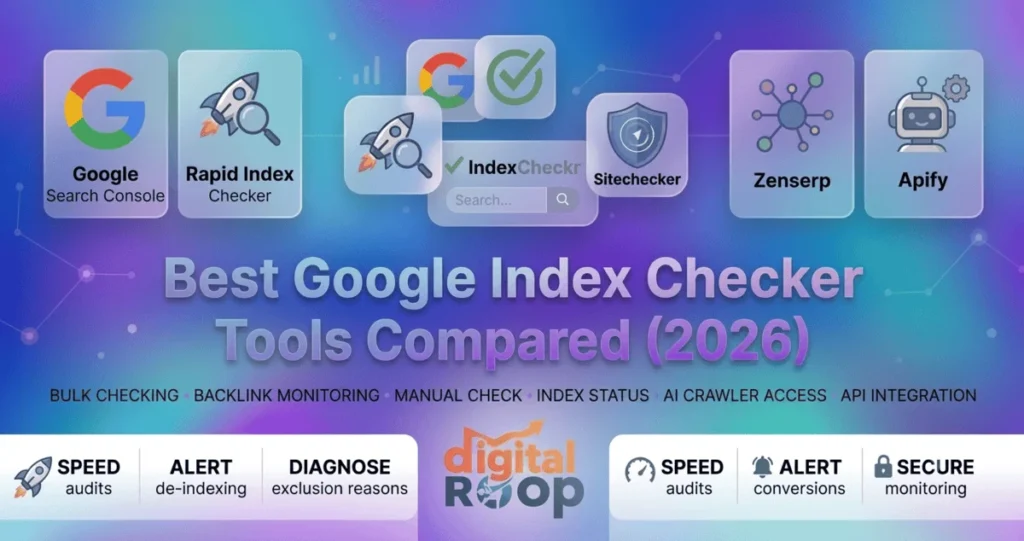
Quick Answer
The best free way to check if your own pages are indexed is Google Search Console’s URL Inspection tool. It checks one URL at a time, though, and caps out at around 2,000 inspections per property per day. For bulk checking, monitoring, or verifying pages you don’t own — like backlinks — you need a dedicated google index checker. Rapid Index Checker, IndexCheckr, and Sitechecker’s Indexing Checker are all built for exactly that job. Below, we compare 15+ free and paid tools side by side. The list includes bulk checkers, browser extensions, and developer APIs, so you can pick the right one for how you actually work.
Table of Contents
At a Glance: Which Tool Fits Your Need?
| Your Need | Best Tool | Why |
|---|---|---|
|
Single URL check on your own site |
Google Search Console |
Official, free, includes the exact exclusion reason |
|
Bulk audit of 100+ URLs |
Rapid Index Checker |
Diagnoses why pages fail, processes 200 URLs/second |
|
Backlink verification on domains you don’t own |
Rapid Index Checker / IndexCheckr |
Works on any public URL, no site verification needed |
|
Scheduled monitoring with drop-out alerts |
Rapid Index Checker / IndexCheckr |
Email/webhook alerts catch de-indexing within hours |
|
API or developer pipeline integration |
Zenserp or Apify |
Programmatic, pay-as-you-go, built for scripts |
|
Free, no-signup spot check |
RankWatch or AIclicks |
Unlimited or up to 100 URLs, zero setup |
|
AI crawler visibility alongside Google index |
IndexCheckr or AIclicks |
Checks GPTBot/ClaudeBot access next to index status |
What Is a Google Index Checker?
A Google index checker is a tool that tells you whether Google has indexed a specific web page. In other words, it tells you whether that page is even eligible to appear in search results. This is different from ranking. An indexed page might still rank poorly, but a non-indexed page can never appear in search results at all, no matter how good the content is.
For site owners, SEO teams, and link builders, this distinction matters constantly. New blog posts, product pages, and backlinks all need to be indexed before they can generate any organic traffic. A website indexing checker helps you catch the gap between “published” and “actually discoverable on Google” before it costs you weeks of lost visibility.
Why Index Checking Matters More in 2026
Two things have changed the stakes around indexing checks recently. First, several independent studies circulating in the SEO community this year point to a large share of published web pages never getting indexed at all — some estimates run above 60%. That means checking isn’t a one-time task anymore. It’s an ongoing part of a content workflow, much like the broader shift toward treating SEO as an always-on discipline in the AI era rather than a one-off launch checklist.

Second, Google’s AI Overviews and the broader shift toward AI-mode search results still draw from the same underlying Google index. A page that isn’t indexed can’t be cited in an AI Overview either. That’s pushed some newer tools to start reporting on more than classic status — IndexCheckr’s AI-crawler visibility check and AIclicks’ robots.txt checker are two examples. Both now flag whether AI crawlers like GPTBot, ClaudeBot, and OAI-SearchBot can actually reach a page, alongside standard Google index status.
Google Search Console vs. Third-Party Index Checkers
Before reaching for a third-party tool, it’s worth understanding exactly where Google’s own free tool falls short. That gap is what every dedicated bulk google index checker on the market is built to fill.
| Capability | Google Search Console | Dedicated Index Checker |
|---|---|---|
|
Cost |
Free |
Free tier + paid plans |
|
Daily URL limit |
~2,000 per property (API); no bulk UI |
Varies by tool, often much higher |
|
Check pages you don’t own |
No — requires site verification |
Yes, on most tools |
|
Bulk checking |
No, one URL at a time in the UI |
Yes — CSV, paste, sitemap, or API |
|
Scheduled monitoring / alerts |
No |
Yes, on most dedicated tools |
|
Data freshness |
Can lag behind live search results |
Often checks live SERP data |
|
Backlink / competitor checks |
No |
Yes, on most tools |
Google Search Console remains the single most authoritative source for your own site. Nothing beats it when you need Google’s official verdict on one specific URL, including the exact reason a page was excluded. But the moment you need to check indexed pages across hundreds of URLs, that changes. The same goes for verifying backlinks on someone else’s domain, or getting alerted the instant a page drops out of the index. At that point, you need a purpose-built tool alongside it.

Best Google Index Checker Tools Compared (2026)
Finding the right Google index checker can save time when monitoring whether your pages are indexed. The tools below are compared by features, accuracy, pricing, URL limits, and ease of use to help you choose the best option for your SEO workflow.
Free Google Index Checker Tools
| Tool | Free/Paid | Bulk Checking? | Best For |
|---|---|---|---|
|
Google Search Console |
Free |
No (1 URL at a time) |
Official, authoritative single-page checks on your own site |
|
RankWatch Index Checker |
Free, unlimited |
Yes, one URL per line |
Quick, no-login spot checks at no cost |
|
Small SEO Tools Index Checker |
Free |
Small batches (5 URLs) |
Beginners running an occasional final check |
|
WebFX Google Indexing Checker |
Free |
One URL at a time |
Pairing an index check with a broader free SEO grade |
|
Dupli Checker |
Free |
Small batches (5+ URLs) |
Simple checks alongside Dupli Checker’s other free tools |
|
AIclicks Index Checker |
Free |
Yes, up to 100 URLs/request |
Competitor index audits and AI-crawler-adjacent checks |
|
IndexMachine’s Free Checker |
Free |
One URL at a time |
Diagnosing noindex/robots.txt/canonical blockers pre-submission |
|
Indexly |
Free |
One URL at a time |
A no-login spot check bundled with AI-visibility tracking |
|
Digitup Indexing Checker |
Free |
Small batches, CSV/TXT export |
Marketers who want a downloadable list, not a dashboard |
|
Prepostseo Indexed Pages Checker |
Free |
Small batches |
Anyone already using Prepost seo’s other free SEO/writing tools |
|
Northcutt Index Checker |
Free |
Single page or domain |
A simple, no-frills backup checker for smaller sites |
|
Pingler Indexed Pages Checker |
Free |
One at a time |
Pairing an index check with Pingler’s free robots.txt/header tools |
Paid, Credit-Based & API Tools
| Tool | Free/Paid | Bulk Checking? | Best For |
|---|---|---|---|
|
Rapid Index Checker |
Free tier + paid credits |
Yes |
Diagnosing why a page isn’t indexed, plus backlink verification |
|
IndexCheckr |
Free credits + paid |
Yes — paste, CSV, sitemap |
Scheduled monitoring, indexer integrations, Chrome extension |
|
Site checker Indexing |
Free + paid plans |
Yes |
Teams that want indexing folded into a full SEO dashboard |
|
Linkody Index Checker |
Free (10 URLs), paid platform |
Small batches |
Agencies already using Linkody for backlink monitoring |
|
Zenserp |
Free (50 requests/month), paid from $49.99/mo |
Yes — via API |
Developers who want index checking inside a SERP API |
|
Apify Google Bulk Index Checker |
Pay-as-you-go (~$2/1,000) |
Yes, via API/Actor |
No-code automation inside existing Apify or n8n workflows |
|
Bulk/agency-tier checkers (index checker.io, index checker.link, etc.) |
Paid |
Yes, large scale (up to 50k URLs) |
Agencies and e-commerce sites monitoring thousands of URLs on a schedule |

Google’s own tool is the ground truth for your verified properties. The URL Inspection report shows whether a page is indexed and when it was last crawled. It also flags the specific reason if a page isn’t indexed — noindex tags, canonical conflicts, crawl errors, and more. The tradeoff is scale: it’s designed for spot-checking, not for auditing an entire site or a backlink portfolio in one pass. It can also only report on domains you’ve verified in Search Console.
Rather than a simple indexed/not-indexed flag, this google index checker focuses on diagnosing why a page isn’t showing up. It inspects noindex meta tags, robots.txt blocks, HTTP responses, redirect chains, and canonical URLs alongside the live index status. It also keeps check history, so you can see exactly when a page dropped out.
This also works on any public URL, which makes it useful as a backlink index checker. That means it can verify that backlinks on other domains have actually been crawled and indexed, not just placed. That’s one item on most off-page SEO checklists worth automating rather than doing by hand. It’s also a real gap Search Console can’t fill, since GSC only reports on properties you’ve verified. Independent SEO roundups, including CatsWhoCode’s 2026 comparison of bulk checkers, have highlighted it for combining bulk checking, indexability diagnostics, scheduled monitoring, and indexing-service integrations in one platform.
Pricing
Free plan includes 150 checks/month, 1 project, and 30-day history. Paid plans start at Lite ($12/month, 3,000 checks) and scale up through Pro ($39/month, 12,000 checks plus API access), Team ($119/month), and Business ($279/month, 100,000 checks). Non-expiring credit packs are also available from $29 for 5,000 checks.
IndexCheckr is a dedicated bulk google index checker built around volume and monitoring. Paste URLs, import a CSV, or feed it an XML sitemap, and each URL is run through two separate checks for accuracy. It layers on scheduled rechecks with email alerts when a page’s status changes, plus time-stamped check history. It also connects directly with indexing services like IndexMeNow, Omega Indexer, SpeedLinks, and Sinbyte, so non-indexed pages can be resubmitted with one click.
A Chrome extension adds page, outbound-link, and bulk-check modes directly in the browser. A newer feature checks AI crawler visibility too — whether robots.txt blocks LLM bots and whether content renders without JavaScript — on top of classic Google indexing. It also functions as a backlink indexing checker, since outbound-link mode is built specifically to audit whether the pages you’re linking out to (or getting linked from) are indexed.
Pricing
Pay-as-you-go credits with no monthly subscription required. Plans run from $15 for 2,000 credits up to $40 for 10,000 credits and $125 for 50,000 credits — roughly $0.0025–$0.0075 per check, depending on volume.
Sitechecker folds index checking into a broader SEO platform rather than shipping it as a standalone tool. That makes it one of the more complete site indexing checker options for teams that want this data next to the rest of their SEO metrics. It audits index status across an entire site or a single page and flags meta noindex tags and crawlability issues. It also sits alongside Sitechecker’s site audits, rank tracking, and on-page checks in one dashboard. That makes it a reasonable pick for teams who’d rather monitor indexing status next to their other SEO metrics than juggle a separate tool.
Pricing
No free plan, though a 14-day free trial is available. Paid plans currently start around $59/month for the Basic tier, scaling up through higher tiers for more sites, keywords, and backlinks. As with most subscription SaaS, published prices shift over time, so check Sitechecker’s own pricing page for the current rate.
A straightforward, no-signup tool for quick checks: paste a URL per line and get a fast yes/no answer, with no stated limit on how many times you can run it. It doesn’t offer diagnostics or scheduled monitoring. But for a blogger or small site owner who just wants a fast final check before or after publishing, it does exactly what it needs to.
Pricing
Completely free, with no sign-up and no stated usage limit. RankWatch’s broader rank-tracking suite is a separate paid product, but the index checker itself carries no cost.
These two free, no-login tools cover the same basic need. Paste a handful of URLs — five at a time on both — and get an indexed/not-indexed status back in seconds. Neither offers diagnostics, history, or bulk import. But they’re free, require no account, and are good enough for a once-in-a-while check on a small site.
Pricing
Both tools are entirely free for this feature, with no paid tier attached to the index checker itself.
WebFX’s free tool checks a single URL’s index status and pairs it with a broader pass/fail SEO grade covering other on-page factors. That way, you get index status plus a quick read on what else might be holding a page back. It’s not built for bulk audits, but it’s a fast way to check indexing status from a phone without logging into Search Console.
Pricing
Free, with no paid version of this specific tool.
Linkody is primarily a backlink monitoring platform, and its free index checker (10 URLs per check) is a smaller feature bolted onto that core product. It’s a natural fit if you’re already using Linkody to track backlinks and competitor links and want indexing status without leaving that workflow. It’s less useful as a standalone bulk checking tool.
Pricing
The index checker is included for free on every tier. Linkody’s paid backlink-monitoring plans start at $14.90/month for the Webmaster tier (2 domains, 500 monitored links) and scale up to $153.90/month for the Agency XL tier.
Google Index Checker API: Zenserp, Apify & Others
Searches for a google index checker api run at a small but steady 10–50 a month across India and the US. It’s the one query pattern in this whole comparison where the person searching is a developer, not a marketer — they don’t want a dashboard; they want an endpoint. Google itself doesn’t expose one. There’s no public “is this URL indexed?” call anywhere in the Search Console API, which is exactly why a small set of third-party APIs exists to fill that gap.
Zenserp
A free plan gives 50 API requests per month, and paid plans start at $49.99/month for 5,000 searches, scaling up for higher volumes. It's built for developers automating checks that would otherwise mean fighting CAPTCHAs and manually re-running site: searches every few weeks.
Apify's Google Bulk Index Checker
An Actor priced around $2 per 1,000 results, callable via API or CLI. It plugs into no-code automation tools like n8n or Make for teams that want indexing data flowing into an existing pipeline.
IndexCheckr's REST API
Included with the same pay-as-you-go credits described above ($15 for 2,000 credits and up), lets you manage projects and pull index status programmatically. It's aimed at teams that already use IndexCheckr's dashboard but want the same bulk index checker logic wired into their own tools or scripts.
Rapid Index Checker's API
Available from the Pro plan ($39/month) upward, with the same diagnostics available in the dashboard (index status, noindex /robots.txt /canonical signals), callable programmatically. It's useful if you're building indexing checks into a CI pipeline, a client-reporting tool, or a search engine index checker step in a larger content workflow.
None of these replace Google Search Console for your own verified properties. It’s still the authoritative source, and it’s the query showing the sharpest growth in this whole dataset — up 180% quarter over quarter per Google Trends. But GSC has no API for checking arbitrary third-party URLs. That’s the exact gap a url index checker or link index checker API is built to close. It’s useful for a competitor audit, a backlink index checker pipeline that re-verifies link placements weekly, or any workflow where the checking needs to happen automatically rather than by hand.
AIclicks’ free checker handles up to 100 URLs per request on any domain, not just properties you own. That makes it useful for auditing a competitor’s top-ranking pages to see how much of their content is actually indexed. It also flags the likely cause when a page isn’t indexed — age, noindex, robots.txt, thin content, or missing internal links. That diagnostic approach is similar to what IndexMachine’s free checker and Rapid Index Checker offer.
Pricing
The index checker itself is completely free, with no sign-up and no daily cap. AIclicks does sell separate paid plans for its AI-visibility tracking product, but they aren’t required to use the checker.
Both are simple, single-URL, no-login tools rather than bulk checkers. IndexMachine’s version checks meta robots tags, robots.txt rules, and canonical tags before giving a direct site: search link to confirm indexing manually. It’s worth noting that IndexMachine itself is primarily an indexing submission tool. It pushes pages to Google and Bing through official APIs, with the checker as a companion feature. Indexly’s checker is a similarly simple, ad-free, single-page tool bundled inside a broader AI-visibility tracking platform.
Pricing
Both checkers are free to use. IndexMachine’s separate indexing-submission service and Indexly’s broader AI-visibility platform carry their own paid tiers, but neither is required just to run an index check.
Bulk / Agency-Tier Checkers
For e-commerce catalogs or agencies managing dozens of client domains, paid platforms such as indexchecker.io and indexchecker.link are built for scale. They offer CSV import of up to 50,000 URLs, “double-check” protocols designed to reduce false negatives, REST APIs, and 24/7 backlink monitoring with email alerts. These add scheduled rechecks and alerting when previously indexed pages disappear — the kind of ongoing monitoring that manual check google index status lookups can’t realistically cover at scale.
Pricing
indexchecker.io offers a free trial of 200 credits, then one-time credit-pack purchases (no recurring subscription). indexchecker.link runs on pay-as-you-go credits starting from roughly $0.0013 per URL, with credits that never expire and API access included at every tier.
More Free Google Index Checker Tools Worth Knowing
Beyond the tools above, a long tail of free utilities shows up regularly in searches for a link index checker, URL index checker, or plain web page index checker. They’re worth knowing even if they’re not built for scale:
Prepostseo's Google Indexed Pages Checker
Part of a larger 150+ tool free SEO suite, it checks a list of URLs and also reports a site's crawl rate, useful if you're already using Prepostseo for other writing or SEO tasks.
Northcutt's Index Checker
A simple, no-frills search engine index checker for a single page or an entire domain; large sites can hit its request limit, but it's a reliable free option for smaller checks.
Pingler's Google Indexed Pages Checker
Bundled inside a wider free SEO toolkit (alongside a Bing indexed-pages checker and a robots.txt checker), so it suits anyone who wants indexing, robots.txt, and header checks in one place.
Digitup's Indexing Checker
A free, no-signup tool that checks one or several URLs and lets you export results as TXT or CSV, positioned for marketers who want a quick download rather than a dashboard.
Open-source / GitHub scripts
For developers comfortable with code, community projects tagged google-index on GitHub wrap the same URL Inspection API into a CLI you can run against a CSV or sitemap, similar in spirit to Apify's Actor but self-hosted and free.
None of these compete with a dedicated bulk indexing checker on scale or monitoring. But they’re worth bookmarking for the odd one-off check when you don’t want to sign up for anything. They also pair naturally with the other free on-page SEO tools and checkers most site owners already keep in a bookmarks folder.
Pricing
Every tool in this list — Prepostseo, Northcutt, Pingler, Digitup, and the open-source GitHub scripts — is free to use for index checking, with no paid tier attached to this specific feature.
How to Check if Your Website Is Indexed by Google (Manual Method)
You don’t always need a tool. To manually check if a page is indexed:
- Go to Google and search site: yourdomain.com/url
- If the page appears in the results, it’s indexed
- For a more detailed check on your own site, use Google Search Console’s URL Inspection tool. It also shows the crawl date and any indexing issues
This works for a quick, one-off check. It becomes impractical fast once you’re checking more than a handful of URLs — that’s the exact point where a bulk google index checker earns its place in your workflow.
How to Check When a Page Became Indexed in Google
Google doesn’t publish an exact “date indexed” field anywhere in standard search results. Still, there are two reliable ways to get close:
Google Search Console → URL Inspection
Shows the “last crawled” date for any verified property. This isn’t the exact indexing date, but it’s the closest official signal available and a good proxy in most cases.
A dedicated index checker with historical monitoring
IndexCheckr’s time-stamped logs and Rapid Index Checker’s scheduled checks are two examples. Both can show you the first date a URL was detected as indexed, since they check on a schedule and log status changes over time. That’s something Search Console’s UI doesn’t do on its own.
If you need to prove indexing history for a client report or an audit trail, scheduled monitoring is the more reliable route. It captures the actual state change rather than relying on a single point-in-time crawl date.
Common Reasons Pages Aren't Indexed
If your google indexing checker flags a page as not indexed — or a deindex checker shows a page that used to rank has dropped out — the cause is usually one of these:
- Noindex meta tag — accidentally left on a page, often from a staging-site setting carried into production; a dedicated noindex checker built into most bulk tools will surface this automatically
- Robots.txt blocking — Googlebot is disallowed from crawling the URL path entirely
- Canonical pointing elsewhere — the page tells Google that a different URL is the “real” version
- Thin or duplicate content — Google chooses not to index pages it judges low-value
- Crawl budget limits — on very large sites, low-priority pages may simply not be crawled yet
- New page, not yet discovered — several checkers flag anything under about 7 days old as “still in the discovery window”; internal linking and sitemap submission speed this up
- No internal links pointing to it — an orphan page with no path from your site’s link graph is harder for Googlebot to find

Working through this list in order resolves most indexing issues without needing to guess: technical blockers first, content quality second. If your checker — or Search Console itself — is showing the specific status “Discovered – currently not indexed,” that’s the crawl-budget-and-discovery scenario from the list above: Google knows the URL exists but hasn’t crawled it yet.
Does Indexing Affect AI Overviews and AI Search Results?
Yes. Google’s AI Overviews and AI-mode results are generated from the same underlying Google index. A page that isn’t indexed by classic Google search can’t be surfaced or cited in an AI Overview either. Indexing is still the gate everything else passes through.
Separately, AI crawlers like GPTBot, ClaudeBot, and Perplexity’s bot need their own access too. Whether they can reach and cite a page in tools like ChatGPT or Perplexity depends on that page’s robots.txt rules for those specific bots. That’s a related but distinct check from Google indexing. Some newer tools report on both signals side by side, including IndexCheckr’s AI-crawler visibility check and AIclicks’ free robots.txt checker.
That’s worth doing if AI-driven traffic and citations matter to your site alongside classic organic search — a practice sometimes called GEO, or generative engine optimization. Our guide to SEO AI tools walks through how that discipline fits alongside classic search optimization. It’s covered in more depth in our guides to AEO vs. GEO vs. SEO and Google AI Mode SEO.
Which Google Index Checker Should You Use?
There isn’t a single universal winner. The right choice depends on what you’re checking and how often:

Checking your own site occasionally?
Google Search Console is free, official, and sufficient.
Auditing dozens or hundreds of URLs at once?
You need a bulk tool — manual site: searches don’t scale. Rapid Index Checker, IndexCheckr, and the agency-tier platforms all handle this.
Verifying backlinks on domains you don't control?
Search Console can’t help here at all. A third-party google index checker that works on any public URL — Rapid Index Checker, IndexCheckr, and AIclicks all qualify — is the only option.
Need to know the moment a page drops out of the index?
Scheduled monitoring and alerts (Rapid Index Checker, IndexCheckr, or the agency-tier tools) are worth paying for. Catching a de-indexing event within hours instead of weeks can save real traffic and revenue.
Want it wired into a script or existing pipeline?
Zenserp or Apify’s API-based checkers are built for that, not for browsing in a dashboard.
Just need a free, no-signup spot check right now?
RankWatch, Small SEO Tools, Dupli Checker, WebFX, Digitup, Prepostseo, Northcutt, Pingler, or IndexMachine’s checker all work with zero setup.
Most SEO teams end up running more than one of these side by side: Search Console as the source of truth, plus a dedicated website indexing checker for scale and monitoring.
Let's find out why your pages aren't indexed
Whether it’s a single stuck page or a site-wide indexing problem, our SEO team can run the audit, diagnose the cause, and fix it — or walk you through the right tool for your own workflow.
Frequently Asked Questions
Is there a free Google index checker?
Yes. Google Search Console’s URL Inspection tool is completely free for any site you’ve verified. Several third-party tools also offer no-cost checking, including RankWatch (unlimited), Small SEO Tools and Dupli Checker (5 URLs at a time), Linkody (10 URLs) and Zenserp (50 requests/month), AIclicks (up to 100 URLs per request), and the free tiers of Rapid Index Checker and IndexCheckr.
How to check when a page became indexed in Google?
Google Search Console shows the last-crawled date for verified properties as the closest available signal. For a more precise history, a dedicated index checker with scheduled monitoring — such as Rapid Index Checker or IndexCheckr — logs the actual date a URL first appears as indexed.
How to check if a website is indexed by Google?
Search site: yourdomain.com in Google — if pages appear, they’re indexed. For a specific URL, use site: yourdomain.com/exact-page-url, or check Google Search Console’s URL Inspection tool for an authoritative, detailed answer.
How does Rapid Index Checker differ from other Google indexing checkers?
Rather than a simple pass/fail result, it diagnoses the specific reason a page isn’t indexed — noindex tags, robots.txt blocks, redirect chains, or canonical conflicts. It can also check any public URL, including pages and backlinks you don’t own, without site verification.
What's the difference between a bulk index checker and an indexing submission tool?
A bulk index checker (Rapid Index Checker, IndexCheckr, RankWatch) tells you whether URLs are already indexed. An indexing submission tool (IndexMachine, various “indexer” services) tries to get unindexed URLs crawled faster, typically through Search Console’s or Bing’s official APIs. Some platforms, like IndexCheckr, do both by connecting a checker to third-party indexing services in one workflow.
Can I check if a competitor's page is indexed?
Yes, but only with a third-party tool. Google Search Console only reports on properties you’ve verified, so checking anyone else’s page requires a tool that works on any public URL. Rapid Index Checker, IndexCheckr, and AIclicks are built for exactly this, including checking a competitor’s top-ranking pages in bulk.
How long does Google take to index a new page?
There’s no fixed timeline. High-authority, frequently-crawled sites can see new pages indexed within hours; smaller or newer sites may take anywhere from a few days to several weeks. Submitting the URL through Search Console and linking to it internally from already-indexed pages both help speed up discovery.
Are there Google index checker APIs for developers?
Yes. Zenserp and Apify’s Google Bulk Index Checker both offer programmatic, pay-as-you-go APIs for teams that want to pull index status into their own scripts, spreadsheets, or automation tools rather than using a web dashboard. IndexCheckr and the larger agency-tier platforms also expose REST APIs for the same purpose.
What makes Rapid Index Checker a good fit for agencies specifically?
Two things agencies tend to need that simple free checkers don’t offer: the ability to check pages and backlinks on client domains without owning or verifying them, and check-history logs. Those logs make it easy to show a client when a page was indexed, when it dropped out, or how long a fix took to take effect. Bulk import plus scheduled rechecks also mean an agency can monitor several client sites from one place instead of running manual site: searches per client.
Is Rapid Index Checker more accurate than a simple site: search?
A manual site: yourdomain.com search and a dedicated checker are both reading the same underlying Google index, so neither is inherently “more accurate” — the difference is reliability at volume. Manual site: searches can be inconsistent when run back-to-back, due to Google’s own result caching. A purpose-built checker like Rapid Index Checker runs a consistent check per URL and logs the result instead, which matters when you’re comparing dozens or hundreds of pages rather than eyeballing one search results page.


