
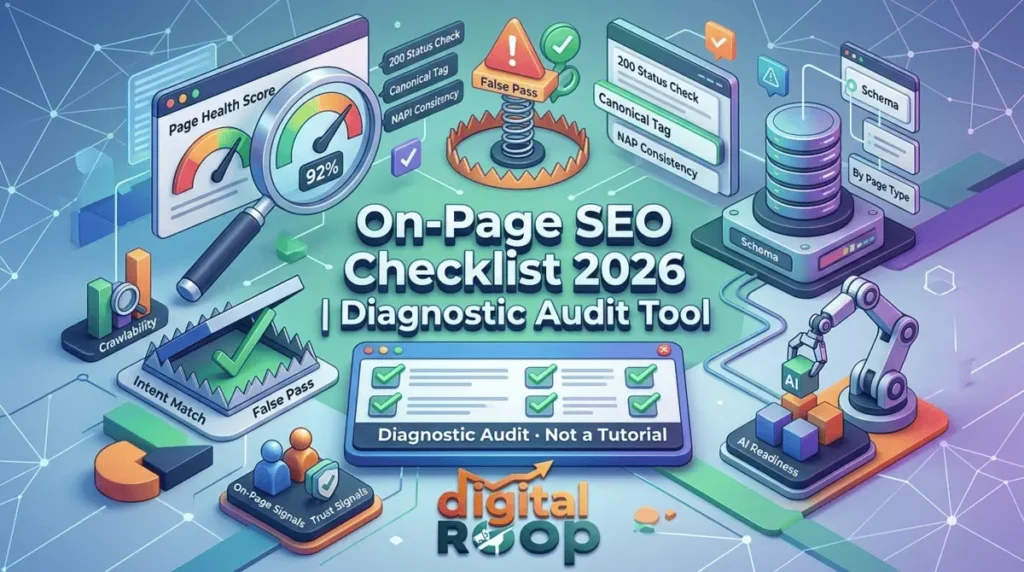
— Diagnostic Audit · Not a Tutorial
A pass/fail On-Page SEO Checklist for auditing pages you’ve already published — by page type, with a scoring system, common false-pass traps, and schema.
What is an on-page SEO checklist?
Most checklists you’ll find — including plenty of “SEO optimization checklist” and “website SEO checklist” posts — are really on-page SEO tips and on-page SEO recommendations dressed up as a list. They explain how to write a title tag or compress an image, step by step. That’s useful the first time. It’s useless the tenth time, when what you actually need is something to run against a page that already exists and tell you, in plain terms, whether the work was done — and done well.
That’s what this on-page SEO checklist for beginners and experienced marketers is built to do. If you’re still unclear on where on-page work ends and technical or off-page work begins, our breakdown of technical SEO vs on-page SEO vs off-page SEO covers that distinction before you start auditing.
Two ground rules before you start:
Rule 1
Rule 2
Table of Contents
— The core problem with checklists
Why Most On-Page SEO Checklists Don't Change Rankings
A checklist gives you confidence, not results, when it measures presence instead of quality. “Meta description written ✅” is true whether the description is genuinely compelling or a copy-pasted first sentence. “Alt text added ✅” is true whether the alt text is on-page-seo-checklist-image or stock photo of person typing on laptop.
Every item in this on-page SEO list is written as a pass condition, not a task, so a checkmark actually means something. That’s the core difference between an on-page SEO optimization checklist that improves rankings and one that just feels productive to fill out.

— Scoring method
How This On-Page SEO Checklist Is Scored
Each section below carries a weight. Score each item 1 (pass) or 0 (fail), multiply by the weight, and total it against the maximum to get a percentage — your Page Health Score.
| Section | Weight | Why it's weighted this way |
|---|---|---|
|
01 |
Crawlability & Indexability [ 3× ] |
If Google can’t or won’t index the page, nothing else matters. |
|
02 |
Intent Match [ 3× ] |
Ranking for the wrong intent produces traffic that bounces. |
|
03 |
Core On-Page Signals [ 2× ] |
Standard relevance signals — necessary, not sufficient. |
|
04 |
Experience & Trust Signals [ 2× ] |
Increasingly separates page-1 results from page-2. |
|
05 |
AI & Answer Engine Readiness [ 1× ] |
Growing channel, not yet the primary one for most sites. |
Under 70%
Hold off on promoting the page; fix critical fails first.
70–89%
Publishable, revisit within 90 days.
90%+
Page is doing its job; move to the page-type checks further down.
According to Google Search Central’s own guidance on creating helpful content, pages should be evaluated by whether they leave the visitor “feeling like they’ve had a satisfying experience” — which is a quality bar a static checklist can’t self-report. Scoring against pass conditions, rather than task completion, is the closest a checklist can get to measuring that.
— Check this first
Section 1: Crawlability & Indexability (Check This First)
This is the section most on-page SEO checklists skip entirely — and it’s the one that decides whether the other items even matter. A page can pass every content and metadata check and still never appear in search if it fails here. Crawlability itself sits closer to technical SEO than to on-page work; our technical SEO guide covers the infrastructure side in full if any of these items fail.
If you’re on WordPress, most of the items 02–05 below (robots tag, canonical, XML sitemap) are handled automatically by whichever SEO plugin you’re running — worth confirming which one before you start checking boxes manually.
| # | Pass Condition | How to Verify |
|---|---|---|
|
01 |
Page returns a 200 status, not a redirect or soft 404 |
Check in Google Search Console → Page Indexing |
|
02 |
Meta robots tag allows indexing (index, follow) |
View page source, search for “robots” |
|
03 |
Canonical tag points to itself, not another URL |
View page source, search for “canonical” |
|
04 |
Page is not a near-duplicate of another page on your own site |
Compare word-for-word overlap; if two pages explain the same steps in the same order, merge or differentiate them |
|
05 |
Page is included in your XML sitemap |
Check sitemap.xml |
|
06 |
Page has at least one internal link from an already-indexed, high-authority page |
Check via Search Console → Links, or a crawler |
|
07 |
robots.txt does not block the URL or its resources (CSS/JS) |
Check robots.txt directly |
|
08 |
“URL is on Google” confirmed in Search Console’s URL Inspection tool |
Manual check |
— Does the page do the right job
Section 2: Intent Match
| # | Pass Condition |
|---|---|
|
09 |
You can state the page’s job in one sentence that isn’t “explain the topic” (e.g., “let a reader self-audit a live page”) |
|
10 |
The top 3 organic results for your target query share your content format (list, tool, comparison, narrative) — not just your topic |
|
11 |
Someone landing from the search query gets what they expected within the first screen, no scrolling |
|
12 |
The page does not compete with another page on your own site for the same primary keyword |
— With false-pass traps flagged
Section 3: Core On-Page Signals — With False-Pass Traps Flagged
| # | Pass Condition | Common False Pass |
|---|---|---|
|
13 |
Primary keyword appears in the title tag, URL, and first 100 words |
Present but forced/unnatural — reads worse than if it weren’t there |
|
14 |
H1 is unique across your site — no two pages share an H1 |
Teams reuse H1 patterns like “Complete Guide” across a whole cluster |
|
15 |
Meta description is unique, not a trimmed copy of the intro paragraph |
Auto-generated from first sentence — technically “written,” adds no click incentive |
|
16 |
Every image has alt text describing that specific image, not the page topic |
Alt text repeats the focus keyword on every image regardless of what’s shown |
|
17 |
Internal links use varied, descriptive anchor text |
Same anchor text (“On-Page SEO Checklist”) used repeatedly across the site — can read as manipulative rather than helpful |
|
18 |
Content answers a question a competitor’s top-ranking page does not answer |
Content matches competitors point-for-point — “complete” but not differentiated |
|
19 |
At least one outbound link goes to a primary, authoritative source |
Outbound link goes to another blog’s summary of the primary source instead of the source itself |
— EEAT, made checkable
Section 4: Experience & Trust Signals
| # | Pass Condition |
|---|---|
|
20 |
At least one claim on the page is backed by something only you could know — a real number, a specific test, an actual outcome — not a general statement true of any website |
|
21 |
Author byline links to a real bio with relevant credentials |
|
22 |
Page has a visible last-updated date that reflects an actual content change, not just a timestamp bump |
|
23 |
If the page makes a claim about “what works in 2026,” it’s specific enough to be provably wrong if false — vague claims can’t be checked, and uncheckable content reads as filler to both readers and quality-rating systems |
— AEO / GEO
Section 5: AI & Answer Engine Readiness (AEO / GEO)
Google’s AI Overviews and LLM-based answer engines (ChatGPT, Perplexity, Gemini) extract content differently than a human skims it. They favor content that answers a question completely in a self-contained block, without requiring the rest of the page for context — and they favor pages carrying structured data that states plainly what the content is. For the broader shift this reflects, see our guide to SEO AI, GEO, and AEO.
| # | Pass Condition |
|---|---|
|
24 |
At least one paragraph answers a specific question in under 60 words, fully, without pronouns referring back to earlier text |
|
25 |
Numbered or bulleted lists are used for genuinely sequential or enumerable information — not decorative formatting of prose |
|
26 |
Tables are used for comparative or scannable data |
|
27 |
FAQ content asks the actual question a person would type or speak, not a rephrased marketing version of it |
|
28 |
Structured data (schema) matches what’s actually on the page — a checklist page should carry ItemList or Checklist-adjacent schema, not generic Article schema copied from a different page type |
|
29 |
Each H2/H3 could stand alone as a search result snippet and still make sense out of context |
— Run the base audit, then add this
Page-Type Specific Checklists
A blog post, a product page, and a local service page fail for different reasons. Running one generic on-page SEO checklist against all three is why generic checklists feel disconnected from real results. Use the base audit above for every page, then add the relevant section below. Once a page passes here, run it through our off-page SEO checklist too — a page can be flawless on-site and still underperform if the off-page half is neglected.
Blog / Article Pages
Content is organized so a reader arriving mid-scroll (from social or a direct link) can still understand the section without reading from the top.
Post links to at least one deeper resource on the subtopic, not just back to a parent pillar.
Publish date and last-updated date are both visible and honest.
Product / Service Pages
Page answers “why this over the alternative,” not just “what this is”.
Pricing, availability, or process information is visible without a click or scroll past the fold.
Trust elements (reviews, guarantees, credentials) appear near the decision point, not buried at the bottom.
Page targets commercial or transactional intent explicitly — informational padding here dilutes conversion-focused signals.
Local / Location-Based Pages
City or region name appears in title, H1, and naturally in body copy — not just in the URL
NAP (Name, Address, Phone) is consistent with Google Business Profile, word for word.
Page references something genuinely local (a landmark, a service area, a local case) — generic city-swapped templates are increasingly filtered by Google’s local systems.
Category / Collection Pages
Unique intro copy exists above the listed items — not just a filtered grid with no text.
Page is not a near-duplicate of a filtered/parameter version of itself (check for URL parameter duplication).
Pagination or “load more” doesn’t hide the majority of content from crawlers.
— Pre-publish gut check
The 30-Second Version (Print This)
For a quick pre-publish gut check — not a substitute for the full audit
- Indexable, canonical to self, not a near-duplicate of another page on your site
- One clear job for this page that no other page on your site does
- Primary keyword in title, URL, H1, first 100 words — reads naturally
- Author byline, last-updated date, both real
- At least one specific, checkable claim only you could make
- One self-contained answer block under 60 words
- Every image has image-specific alt text
- Internal links use varied anchor text; at least one outbound link to a primary source
• NEED HELP EXECUTING THIS CHECKLIST?
We Can Run This For You
Need a second set of eyes on this? from Digital Roop — we’ll run this exact diagnostic against your live pages and tell you what’s actually failing.
Frequently Asked Questions
What's the difference between an on-page SEO checklist and an on-page SEO guide?
A guide teaches the concepts and reasoning behind on-page SEO optimization. A checklist verifies whether those concepts were actually applied correctly to a specific, already-existing page. Confusing the two is why many “checklists” are really on-page SEO tips with checkboxes added.
Why would a page fail this audit but still rank?
Rankings lag behind quality signals, and competitive gaps sometimes mean a mediocre page ranks because everything else in the SERP is also weak. Passing this audit protects against ranking loss when competitors improve, not just ranking gain today.
How often should I re-run this on-page SEO checklist on a page?
Re-run Section 1 (crawlability) whenever you restructure your site or add new pages to a content cluster. Re-run the full audit every 90 days for pages you actively promote, and after any algorithm update that visibly affects your traffic.
Is this checklist suitable for beginners, or only experienced marketers?
Both. It’s an on-page SEO checklist for beginners in the sense that every pass condition is self-explanatory and requires no prior tooling — but experienced marketers use the same list because it catches false passes that basic checklists don’t.
Does a high Page Health Score guarantee ranking?
No checklist can guarantee a ranking — competition, domain authority, and backlinks all factor in. What a high score guarantees is that the page itself isn’t the reason it fails to rank, which lets you diagnose external factors with confidence instead of guessing.


